Dentistry Portfolio

Sidebar CTA

Social Media Assets

Social Media Assets

Back to Marketing Toolkit

Here are examples of social media posts you can use to promote your involvement at this event and encourage people to register.

To create a post, open our Canva template to customise it - for example, by adding your stand number and photos. You can also download the templates using the links below and edit them in your own photo editor. If you need any help producing graphics, please don’t hesitate to reach out to a.zerva@closerstillmedia.com

Don’t forget to tag us! You’ll find all our social media handles in the Event Fact Sheet.

IMPORTANT: Always use our hashtags #DentistryShow and #BDCDS26 on platforms that allow them and remember to include your custom registration link. This ensures that all registrations are correctly attributed to you.


Collaborate with us

Collaborating with us on Instagram and LinkedIn is one of the easiest ways to boost your visibility before and during the show.
When you collaborate, your post appears on both your profile and the official Dentistry Show feed doubling your audience and engagement.

How to Collaborate on Instagram

Step 1: Create your post as usual (photo, video or Reel)
Step 2: Tap “Tag People” → “Invite Collaborator.”
Step 3: Search for and select @dentistryshowcs
Step 4: Publish your post. Once we accept, it will appear on both pages.

How to Collaborate on LinkedIn

Simply tag the Dentistry Shows page in your post to notify our team. We’ll reshare selected exhibitor content to our page.

Please note: We are selective about the content we accept for collaboration to ensure posts align with the event’s tone and focus.
Exhibitor Templates

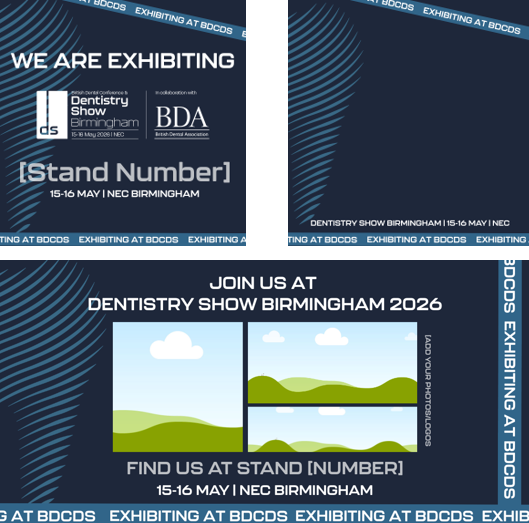
Template preview

The templates are available in both portrait (1080x1080px) for Instagram and landscape (1024x512px) for LinkedIn and Facebook.

  • Open the templates in Canva or download them on your device using the links below.

  • Edit them - add your stand number, logo and photos or short videos.
  • Download and post on your preferred social media channels.
  • Don’t forget to tag @dentistryshowcs and use #DentistryShow and #BDCDS2026 so we can share your post!

If you can’t do either, email a.zerva@closerstillmedia.com.


Edit in Canva - Portrait | Edit in Canva - Landscape

Download templates

Partner Templates

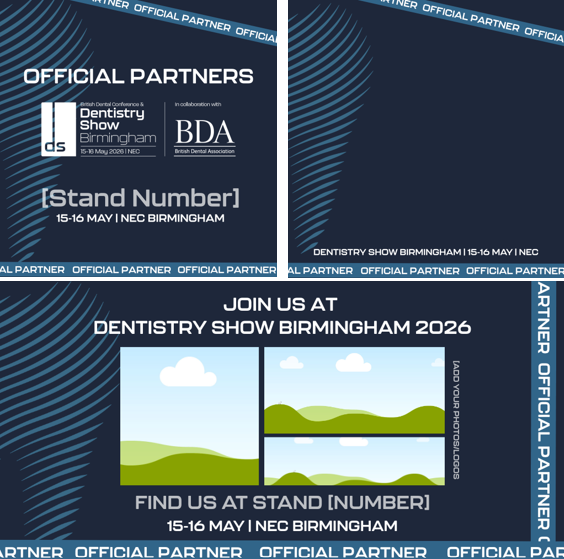
Template preview - Partners

The templates are available in both portrait (1080x1080px) for Instagram and landscape (1024x512px) for LinkedIn and Facebook.

How to use:

  • Open the templates in Canva or download them on your device using the links below.

  • Edit them - add your stand number, logo and photos or short videos.

  • Download and post on your preferred social media channels.

  • Don’t forget to tag @dentistryshowcs and use #DentistryShow and#BDCDS2026 so we can share your post!

If you can’t do either, email a.zerva@closerstillmedia.com.


Edit in Canva - Portrait | Edit in Canva - Landscape

Download templates

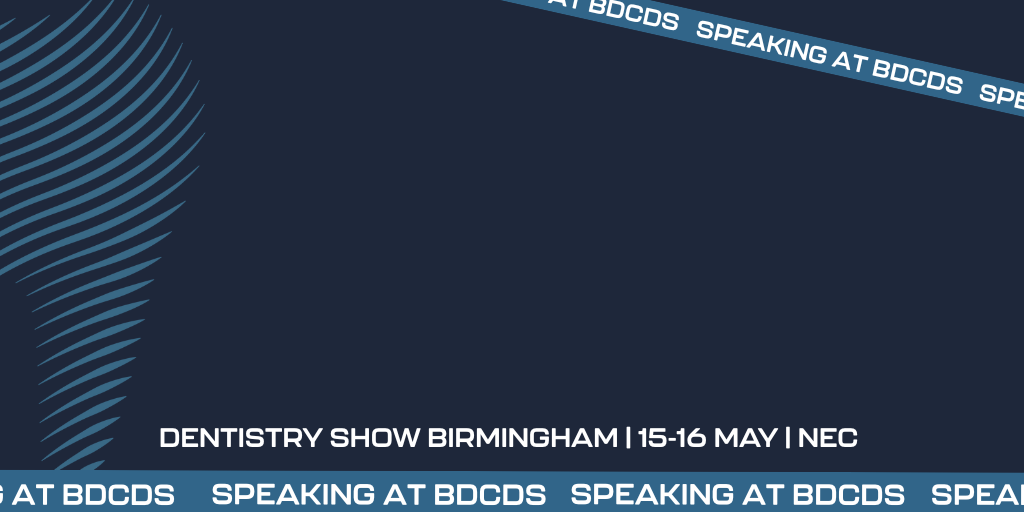
Speaker Templates

Speaker Template

Alongside your personalised speaker banners (send separately), we’ve created a few blank templates you can use to share updates before, during and after the show.

These are perfect for Instagram, LinkedIn or Facebook posts.

How to Use:

  • Open the templates in Canva or download them on your device using the links below.

  • Add your photo and session title.

  • Download and post on your preferred social media channels.

  • Remember to tag @dentistryshowcs and use #DentistryShow and #BDCDS2026 so we can see your posts!


Download templates

Sponsors


Partners

Our Events